Product Guide · 9 min · March 6, 2026
How to Use Privacy Leak to Find & Remove Leaked Photos
Step-by-step guide to using Privacy Leak's face, voice, tattoo, and AI search to find leaked intimate photos — plus how to get them removed anonymously.
How to Use Privacy Leak to Find & Remove Your Leaked Photos
Privacy Leak is a facial recognition search and legal takedown platform designed to help you find intimate photos of yourself on adult websites — and get them removed without exposing your identity. This tutorial walks you through every feature: face search, voice search, tattoo search, AI deepfake detection, the Legal Takedown Service, and real-time monitoring alerts.
Whether you suspect your photos have been leaked or you want to scan proactively, this guide covers everything you need to know to use Privacy Leak effectively.
In this guide:
- What Privacy Leak Does
- What You Need Before Starting
- How to Search for Your Leaked Photos — Step by Step
- Understanding Your Results
- How to Remove Content You Find
- Setting Up Monitoring Alerts
- FAQ
- Key Takeaways
What Privacy Leak Does
Privacy Leak combines two capabilities that are typically handled by separate tools: finding where your intimate content appears online and removing it through legal channels.
Most people who discover leaked photos face two problems. The first is visibility — the vast majority of leaked content ends up on obscure, overseas-hosted platforms that Google doesn’t index and that victims would never think to check. The second is removal — filing takedown requests yourself requires exposing your real name and contact information to the hosting platform and often to the uploader.
Privacy Leak addresses both. Its search engine scans your biometric features (face, voice, or tattoo) across hundreds of millions of indexed images and videos on adult platforms. Its Legal Takedown Service then handles removal through DMCA and Take It Down Act channels as your legal proxy, keeping your identity hidden throughout.
Four search modes are available:
| Mode | What It Does | When to Use |
|---|---|---|
| Face | Matches your facial features across adult content | You suspect photos of your face are on adult sites |
| Voice | Matches your voice pattern in leaked videos | A leaked video contains your voice but your face may be obscured |
| Tattoo | Matches a visible tattoo in leaked content | Your face isn’t visible but a distinctive tattoo is |
| AI Detection | Identifies deepfake and AI-generated content | You suspect AI-generated explicit content uses your face |
What You Need Before Starting
For face search: A clear, front-facing photo where your face is fully visible. A standard selfie in good lighting works well. This does not need to be an intimate photo — the system matches your facial features, not the image itself.
For voice search: A short audio recording of your voice, or an audio file you can upload. The system creates a voiceprint to match against indexed video content.
For tattoo search: A clear photo of your tattoo. You’ll also select the tattoo’s location on a 3D human body model and specify its approximate size for matching accuracy.
For AI detection: The same clear face photo used for face search. The AI detection mode identifies synthetic and AI-generated content during the scan.
A secure device and connection. Use a personal device on a private network — not a shared or work computer.
How to Search for Your Leaked Photos — Step by Step
Step 1: Go to Privacy Leak and choose your search mode
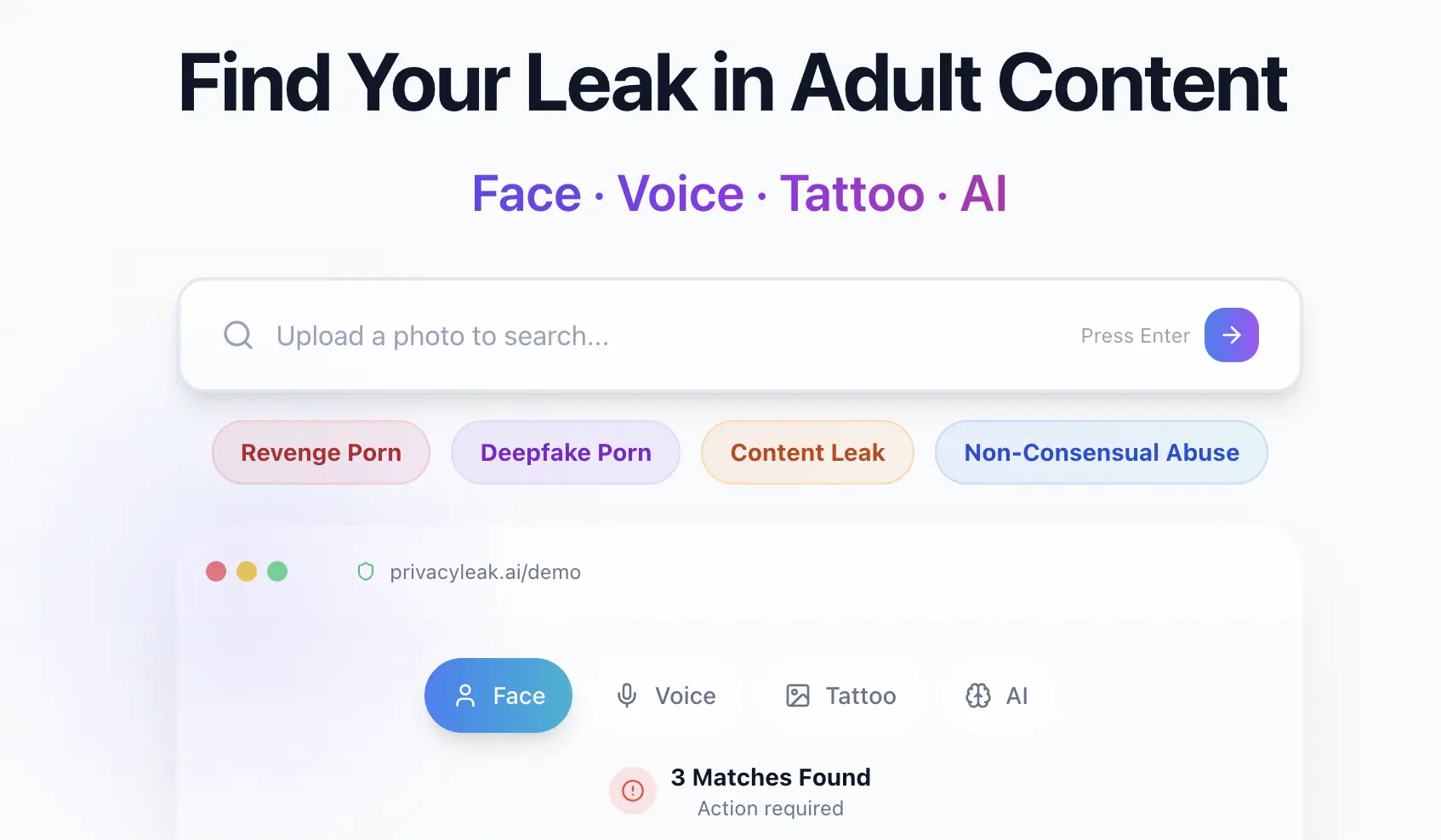
Visit PrivacLeak.ai. You’ll see the four search modes: Face, Voice, Tattoo, and AI. Select the one that matches your situation. Face search is the most common starting point.
Step 2: Upload your photo, audio, or tattoo image
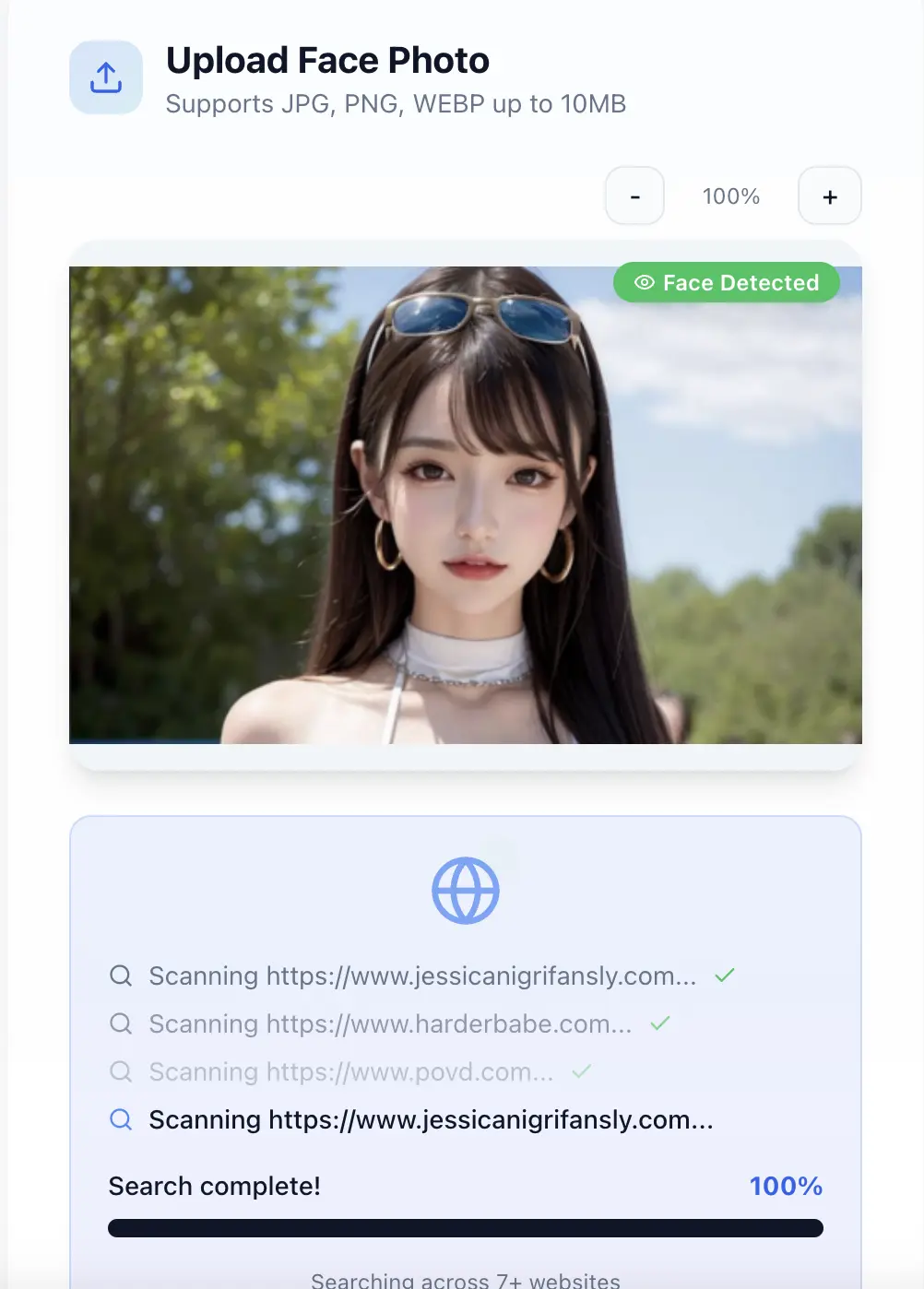
For face search, upload a clear selfie. The system analyzes your facial structure — the distance between your eyes, jawline shape, nose proportions — and creates a mathematical representation called a faceprint. No raw images are stored; only the non-reversible biometric feature vector is used for matching, then your uploaded file is deleted.
Step 3: Wait for the scan to complete
The scan takes approximately 30 seconds. During this time, your faceprint is compared against over 100 million facial recognition records across indexed adult websites, forums, and image hosting platforms.
Step 4: Review your results
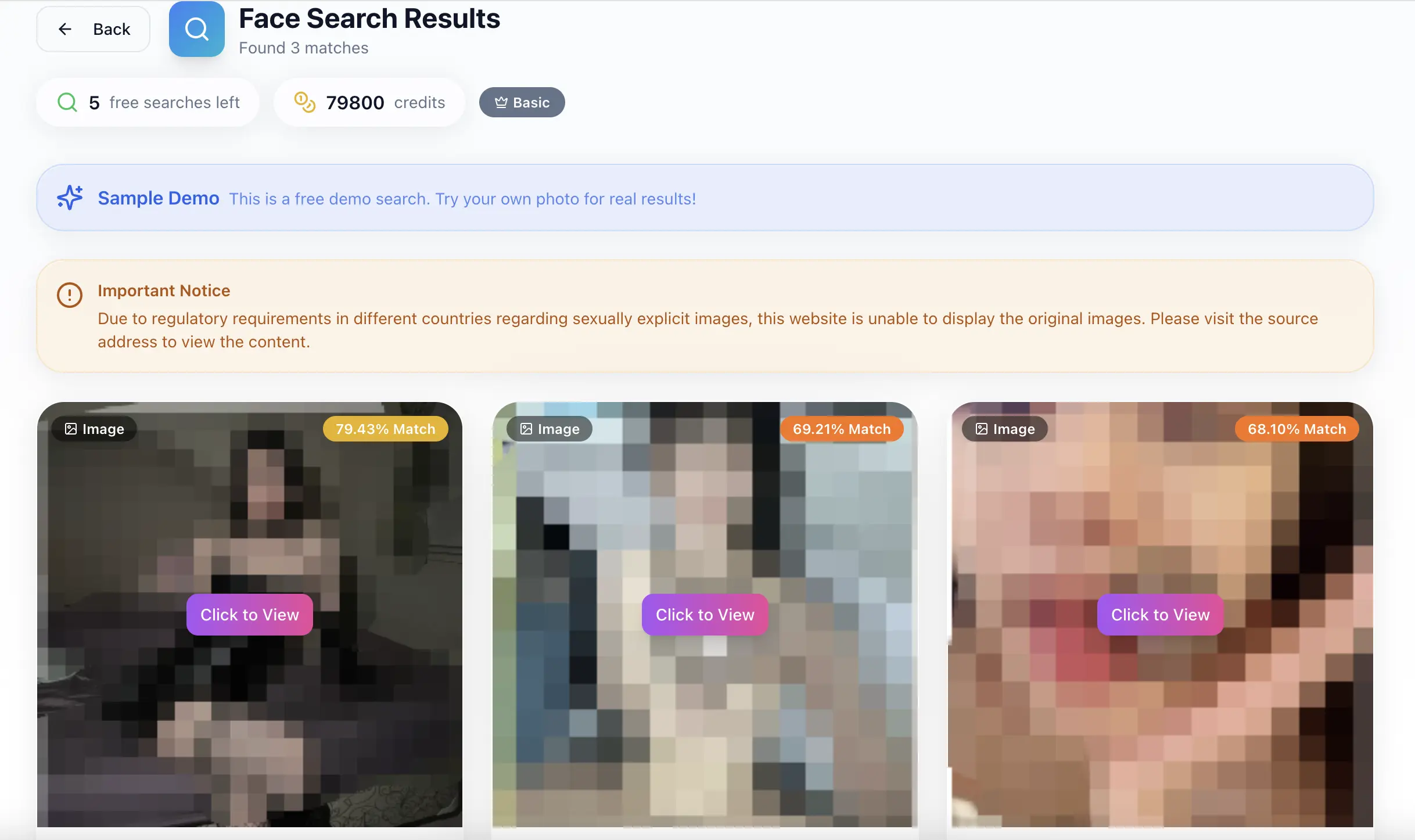
If matches are found: You’ll see the total number of matches. Each result shows the website name, URL, post title, publish date, and file type (image or video). All results are blurred by default for your protection — you use points to unlock and view each item.
If no matches are found: This is good news, but it doesn’t guarantee nothing exists. The search database is continuously expanding with new content indexed daily. Enable monitoring alerts (covered below) so you’ll be notified automatically if your face appears in the future.
→ Try a free scan at privacyleak.ai
Understanding Your Results
When matches appear, here’s how to interpret them:
Check the website source. Note whether the match appears on a known adult platform, an anonymous image board, a file-sharing site, or a forum. This affects your removal strategy — major platforms have established removal processes, while obscure sites may require escalation through hosting providers.
Note the file type. Image matches and video matches may require different removal approaches. Videos containing your voice can be cross-verified using the voice search mode.
Look at publish dates. Recent uploads may still be spreading to other sites. Older content may already have copies elsewhere. Consider running a follow-up scan in a few weeks to catch any new appearances.
Consider running multiple search modes. If face search finds matches, try voice search and tattoo search as well. Content where your face is obscured but other identifying features are visible may exist on different sites than what face search alone would find.
How to Remove Content You Find
Once you’ve identified where your content appears, you have several removal paths:
Option 1: Report directly to the platform yourself
You can file removal requests with individual platforms using their content removal forms. This is free but requires your personal information and only addresses one site at a time. See our DMCA Takedown Guide for detailed instructions and platform-specific contact links.
Option 2: Use StopNCII to block re-uploads
StopNCII.org creates a digital hash of your images that participating platforms automatically block. This prevents re-uploads but doesn’t remove content that already exists.
Option 3: Use Privacy Leak’s Legal Takedown Service
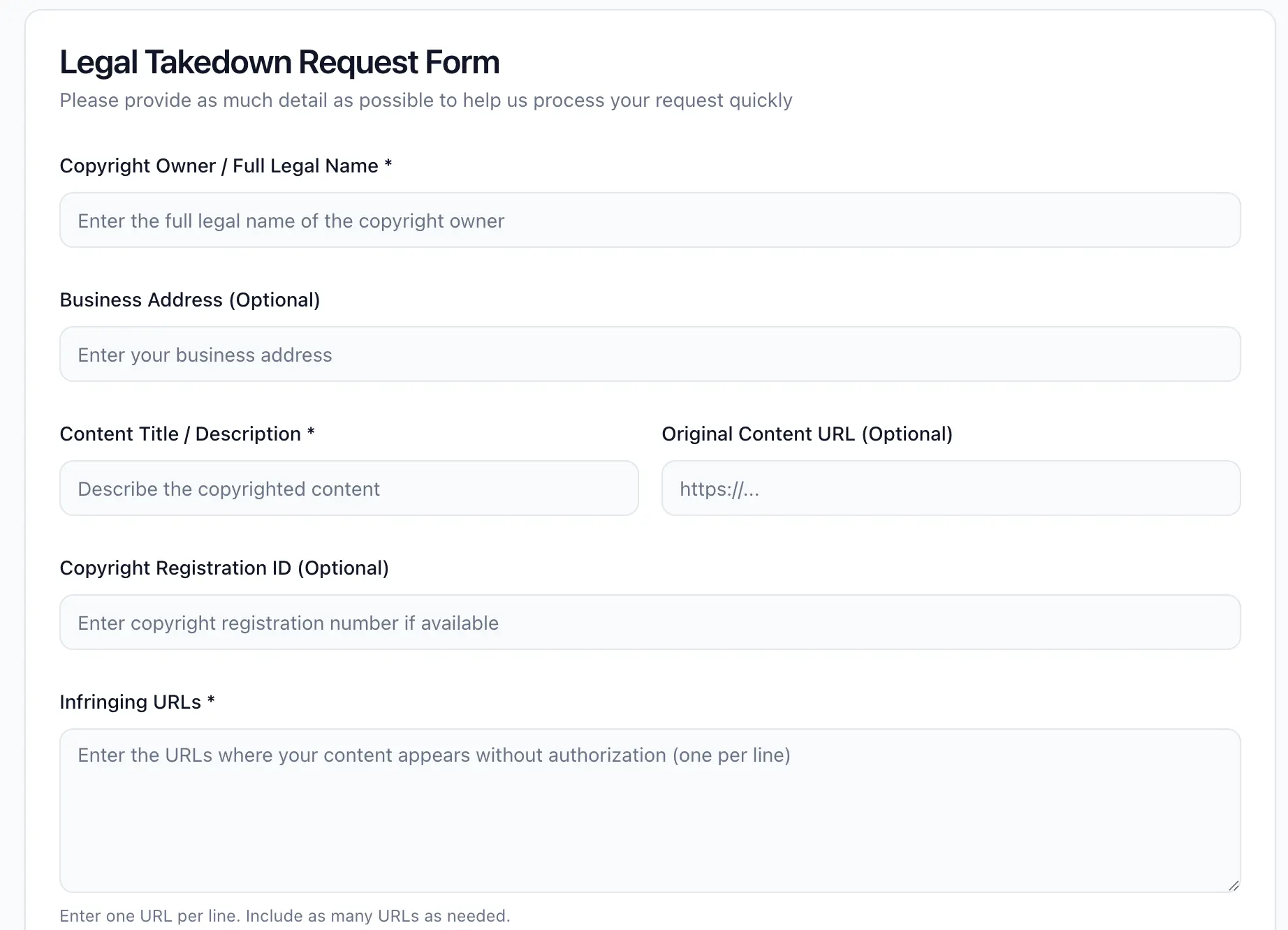
For comprehensive, anonymous removal, go to privacyleak.ai/remove-leaked-photos and submit a takedown request. Here’s how the process works:
1. Submit your request. Fill out the takedown form with details about the infringing content, including the URLs where it appears. You provide a content description and contact information — but this information stays with Privacy Leak’s legal team and is never shared externally.
2. Review and processing. The legal team reviews your request and prepares the appropriate legal notice. They verify content ownership, URL accuracy, legal compliance, and platform-specific requirements.
3. Takedown notices sent. Formal legal notices are sent to all identified platforms and hosting providers through the appropriate channel — DMCA for copyright-based claims, or the Take It Down Act for non-consensual intimate imagery.
4. Monitoring and follow-up. The team monitors compliance and follows up with non-responsive platforms. Most content is removed within 24–72 hours. If a platform doesn’t comply, Privacy Leak escalates through server providers, domain registrars, CDN services, and if necessary, regulatory bodies.
Setting Up Monitoring Alerts
Leaked content frequently resurfaces. After your initial scan and removal, monitoring ensures you catch re-uploads early.
How to enable monitoring: After running a scan, you’ll see an option to subscribe to alerts. When enabled, the system continuously scans for new appearances of your face across indexed platforms and sends you a notification immediately when a new match is detected.
When to use monitoring: Monitoring is especially important in the first 3–6 months after initial removal, when re-uploads are most common. It’s also valuable for content creators who face ongoing content theft and for anyone who has been targeted by a persistent individual.
Monitoring alerts are available on Premium and Enterprise plans.
FAQ
How does Privacy Leak’s face search work?
Privacy Leak uses facial recognition to create a mathematical representation of your facial features from an uploaded photo. This faceprint is compared against over 100 million indexed records across adult websites. Unlike reverse image search tools like Google or TinEye, it matches your face — not a specific image file — so it catches cropped, filtered, and manipulated photos.
Does Privacy Leak store my photos?
No. Uploaded files are encrypted, processed through AI to extract biometric feature vectors, then immediately deleted. The deleted data cannot be recovered. Only non-reversible feature vectors remain — these cannot be used to reconstruct the original image.
What makes Privacy Leak different from PimEyes or FaceCheck.ID?
Privacy Leak offers four search modes (face, voice, tattoo, AI detection) compared to competitors’ face-only search. It includes a built-in Legal Takedown Service that files DMCA and Take It Down Act notices as your legal proxy — keeping your identity hidden. PimEyes charges separately for their PROtect removal plan. FaceCheck.ID has no removal service at all.
Can Privacy Leak find deepfake content of me?
Yes. The AI detection mode specifically identifies synthetic and AI-generated content during scans. This catches deepfake nudes — explicit images where your face has been placed onto someone else’s body using AI — even though the original content never existed as a real photo.
How much does Privacy Leak cost?
The Basic plan is free and includes 5 face searches per day. Premium and Enterprise plans offer additional daily searches, lower unlock costs per result, access to the Legal Takedown Service, and real-time monitoring alerts.
How does the Legal Takedown Service protect my identity?
Privacy Leak’s legal team files removal notices as your legal representative. Your name, email, address, and other personal information are never included in the notices sent to platforms or hosting providers. The platform sees Privacy Leak as the requesting party — not you.
What if Privacy Leak finds no matches?
No matches means your face wasn’t found in the current indexed database — which is good news. However, the database expands daily as new content is indexed. Enable monitoring alerts to be notified automatically if your face appears in the future. You can also run periodic scans to check manually.
Can I use Privacy Leak to search for someone else?
Privacy Leak is designed for individuals searching for their own likeness. Using facial recognition to search for other people’s faces without their consent may be restricted in some jurisdictions. The platform’s primary use cases are self-protection, identity verification, and content creator monitoring.
Key Takeaways
- Privacy Leak offers four search modes — face, voice, tattoo, and AI detection — to find leaked content across adult platforms, even when your face is obscured.
- The face search scans over 100 million indexed records in approximately 30 seconds. No raw images are stored — only non-reversible biometric feature vectors.
- If matches are found, the Legal Takedown Service files DMCA and Take It Down Act notices as your legal proxy, keeping your identity completely hidden.
- Most content is removed within 24–72 hours, with escalation available for non-compliant platforms.
- After removal, monitoring alerts catch re-uploads automatically — especially important in the first 3–6 months.
- The Basic plan is free with 5 daily searches. Premium and Enterprise plans add takedown services, monitoring, and additional search capacity.
Your privacy is worth protecting. If you suspect intimate content of you exists online, a 30-second scan is the fastest way to find out.
→ Start your free scan at privacyleak.ai
Related Articles
- Leaked Intimate Photos: How to Find Them and Get Them Removed — pillar page covering the full discovery-to-removal process
- DMCA Takedown Request: Step-by-Step Guide to Remove Your Photos — how to file DMCA notices yourself